


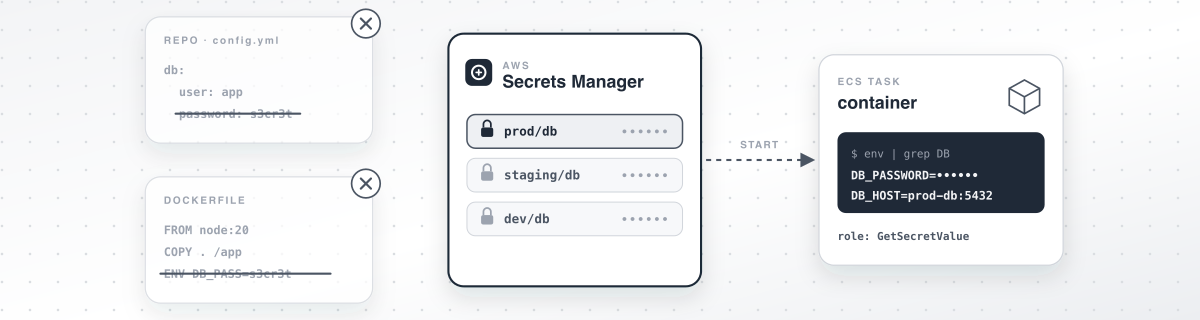
How to pass the database password to a container without writing it in your code
The password lives in Secrets Manager, and ECS hands it to the container when it starts. That way it never ends up in the repository or the image.
What to avoid
A password in the code, in a config file in the repository, or in a Dockerfile ENV is within reach of anyone who has the repo or the image. Git keeps history, so deleting it later isn't enough. You also shouldn't set it as a plain-text variable in the task definition, because it shows up in the console.
Step 1: store the secret
In Secrets Manager, create a secret with the connection details. A common format is JSON like this:
{"username":"app","password":"real-value","host":"db.internal","port":5432,"dbname":"app"}
Name it per environment, for example prod/db and staging/db, so each environment reads its own.
Step 2: reference the secret in the task
In the ECS task definition, inside the container, use the secrets section and give a name to the variable your application will see. To pick a specific key from the JSON, the ECS documentation explains how to write the reference. Specifying sensitive data in ECS.
Step 3: execution role permissions
The task execution role needs permission to read the secret. The documentation lists the following:
secretsmanager:GetSecretValue, required if you reference a Secrets Manager secret.kms:Decrypt, only if the secret uses your own KMS key instead of the default one. That key's ARN goes in the permission's resources.
Amazon ECS task execution IAM role.
A detail that trips people up
Containers that are already running don't receive changes to the secret. The documentation says that if the secret changes, you need to force a new deployment or launch a new task. This also applies to automatic rotation: the value changes in Secrets Manager, and the task keeps the old one until it restarts.
aws ecs update-service --cluster YOUR_CLUSTER --service YOUR_SERVICE --force-new-deployment
Common errors
| Symptom | What to check |
|---|---|
| The task won't start and the error mentions access | That the execution role has GetSecretValue on that secret |
| After rotation, the app uses the old password | A new deployment wasn't forced |
| The variable arrives empty | The key you specified doesn't exist in the secret's JSON |
| It fails in only one environment | That environment points to another environment's secret |
What C4C7OPS does about this
In Cloud resources you create the database from a catalog and choose which services use it. The credentials (host, user, and password) are injected automatically into those services.
Frequently asked questions
Why does my container still have the old password? Because ECS hands over the secret when the task starts. Force a new deployment so it picks up the current value.
What permission does the task need to read the secret?
The execution role needs secretsmanager:GetSecretValue on that secret.
Can dev and production use the same secret? It's not a good idea. Each environment should read its own credentials, so a change in dev doesn't affect production.
Is your team still copying passwords between tools?
Tell us how you do it today.
Sources
You may also be interested
 Security
The importance of HTTPS and how it works
If you visit a website that does not use HTTPS, you will see a warning in your browser. Why does this happen? In short, without HTTPS, the communication between the browser and the server is in plain text.
 Cloud
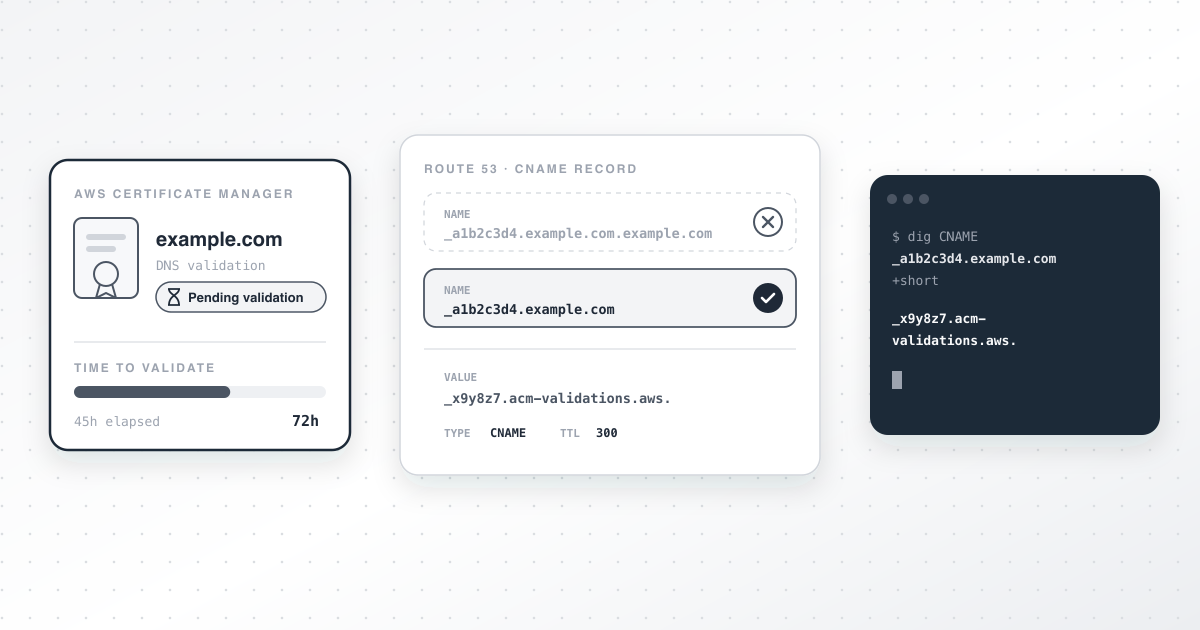
My ACM certificate is stuck in Pending validation
Almost always the CNAME record is misspelled or sits in a DNS zone nobody queries. This is what we check, in this order.
 Cloud
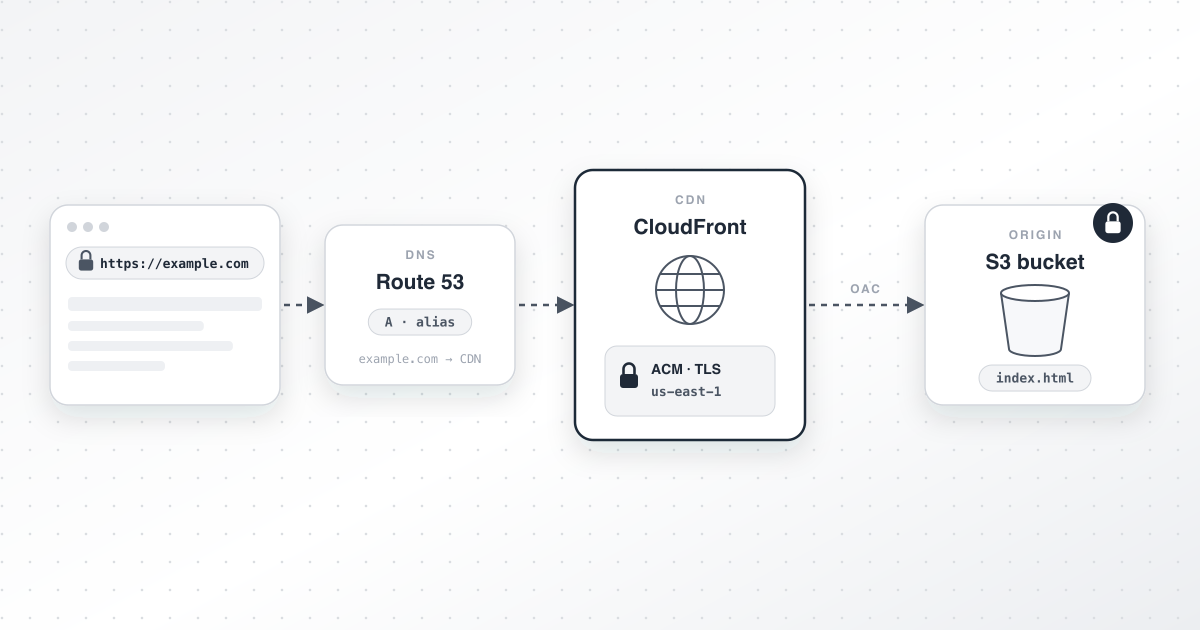
My S3 site won't load over HTTPS on my domain
The bucket has the site, the certificate exists, and the DNS record is in place, but the domain won't load. There's almost always a missing piece between the domain and the bucket.