


How to Create and Approve Queries in C4C7OPS
The purpose of this tutorial is to show how we can use the query builder. This will be useful to request the execution of queries in a specific environment's database and approve them to proceed with execution. This feature is integrated into C4C7OPS, whether you're a user or an administrator. We'll divide the tutorial into two parts:
- How to request script execution.
- How to approve and execute a script execution request (Admins only).
1. How to Request Script Execution
1.1. Go to the Query Runner section.
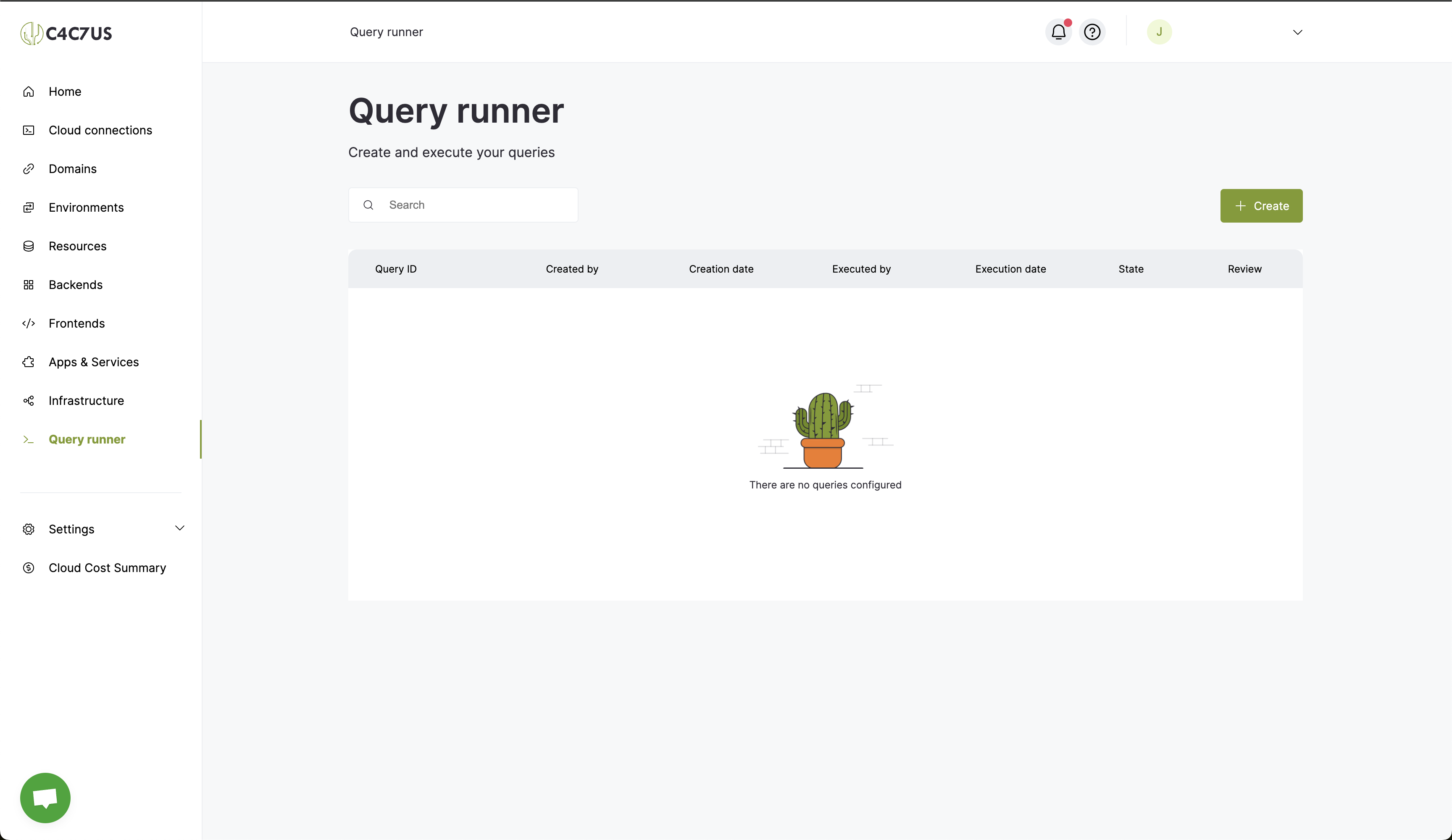
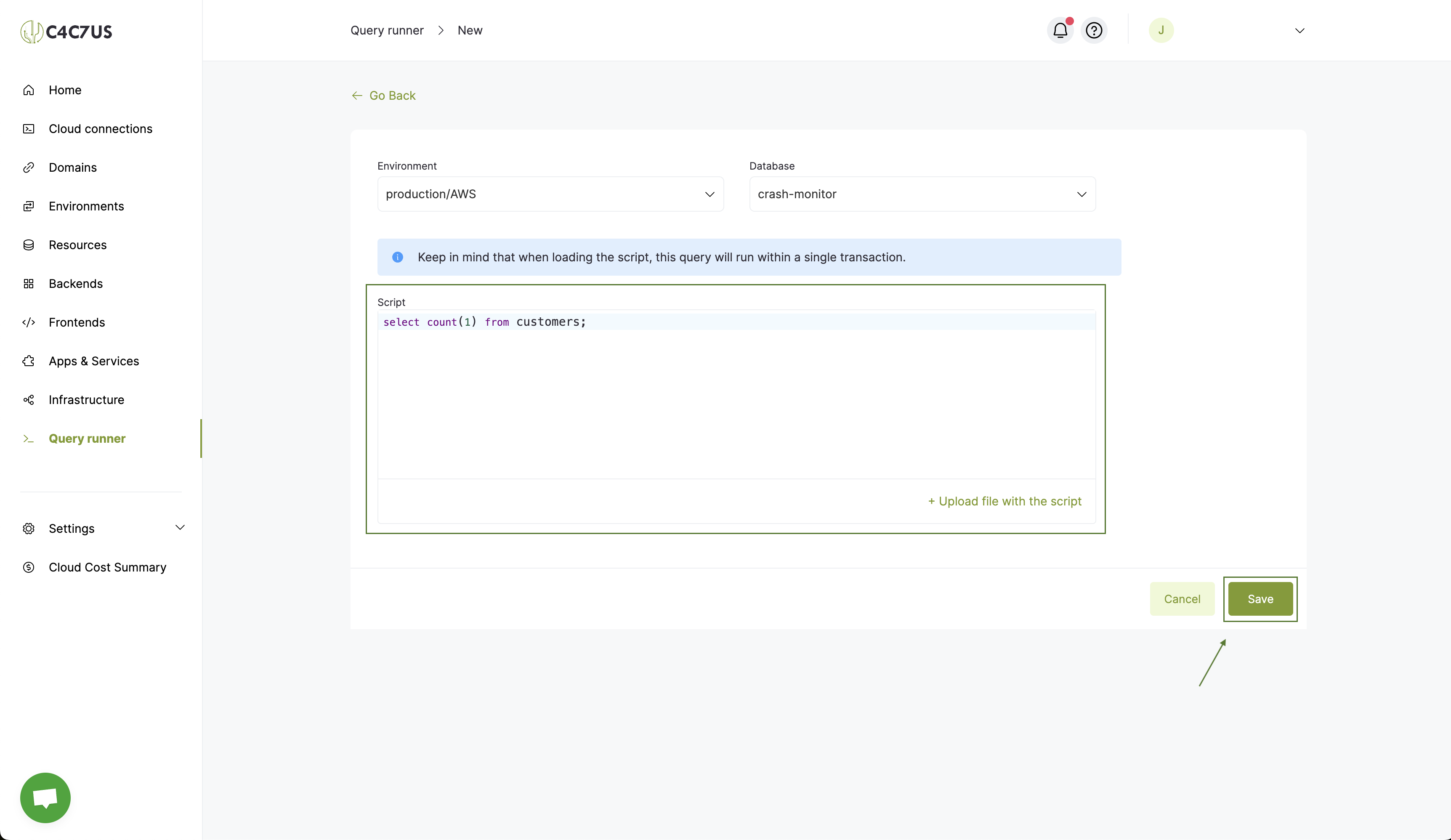
1.2. Click the "Create" button.
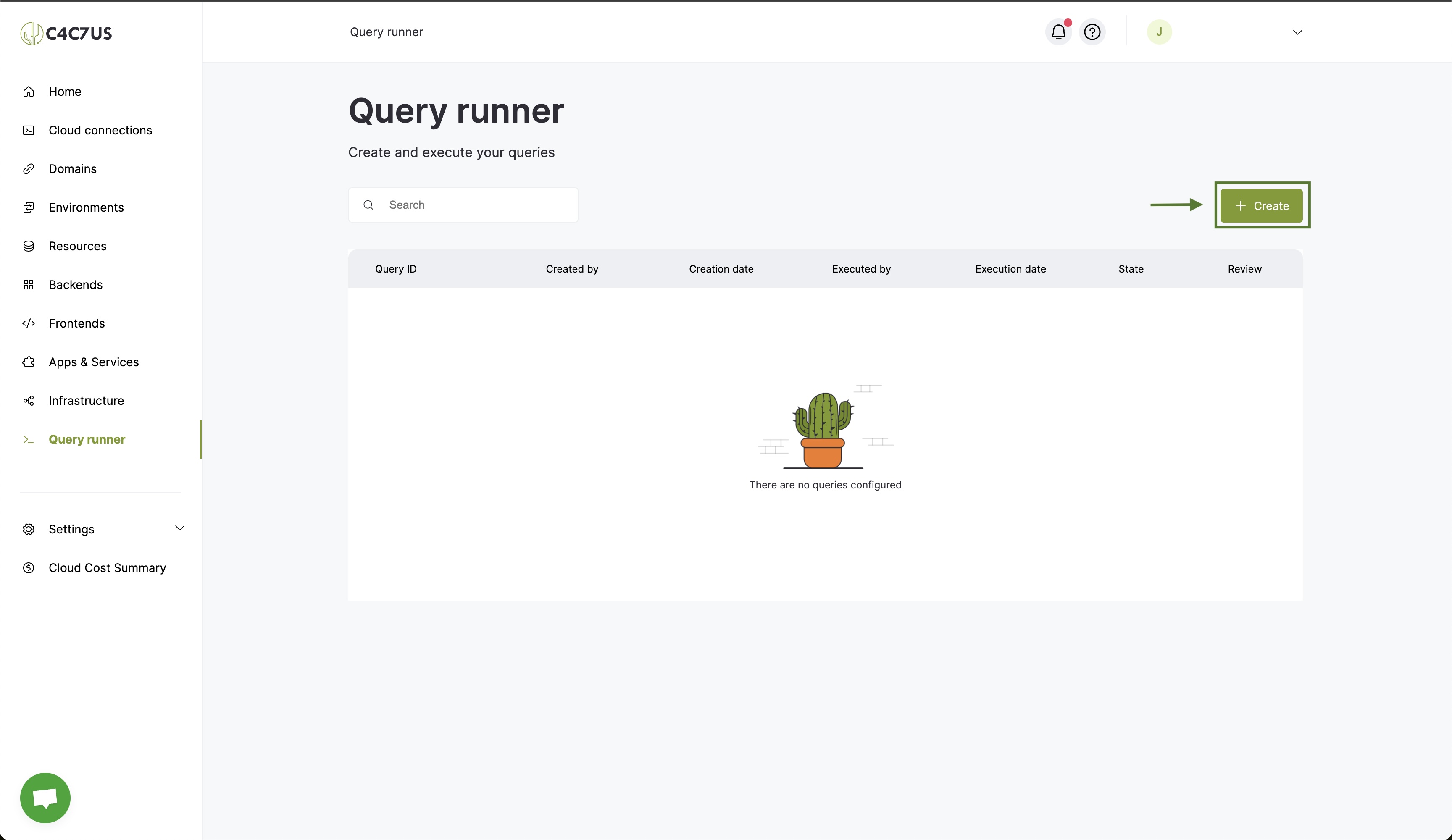
1.3. Select an environment.
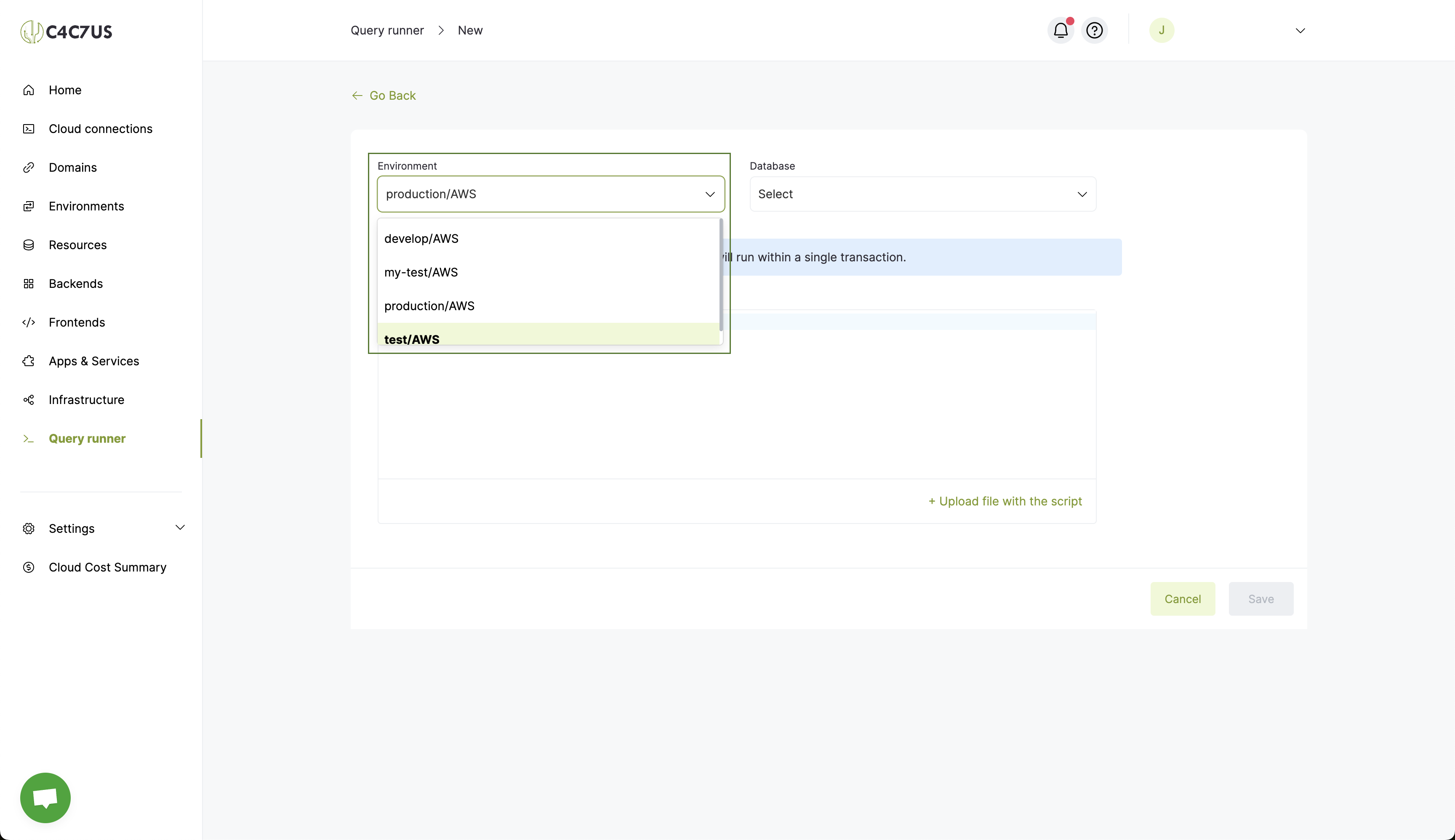
1.4. Select a database.
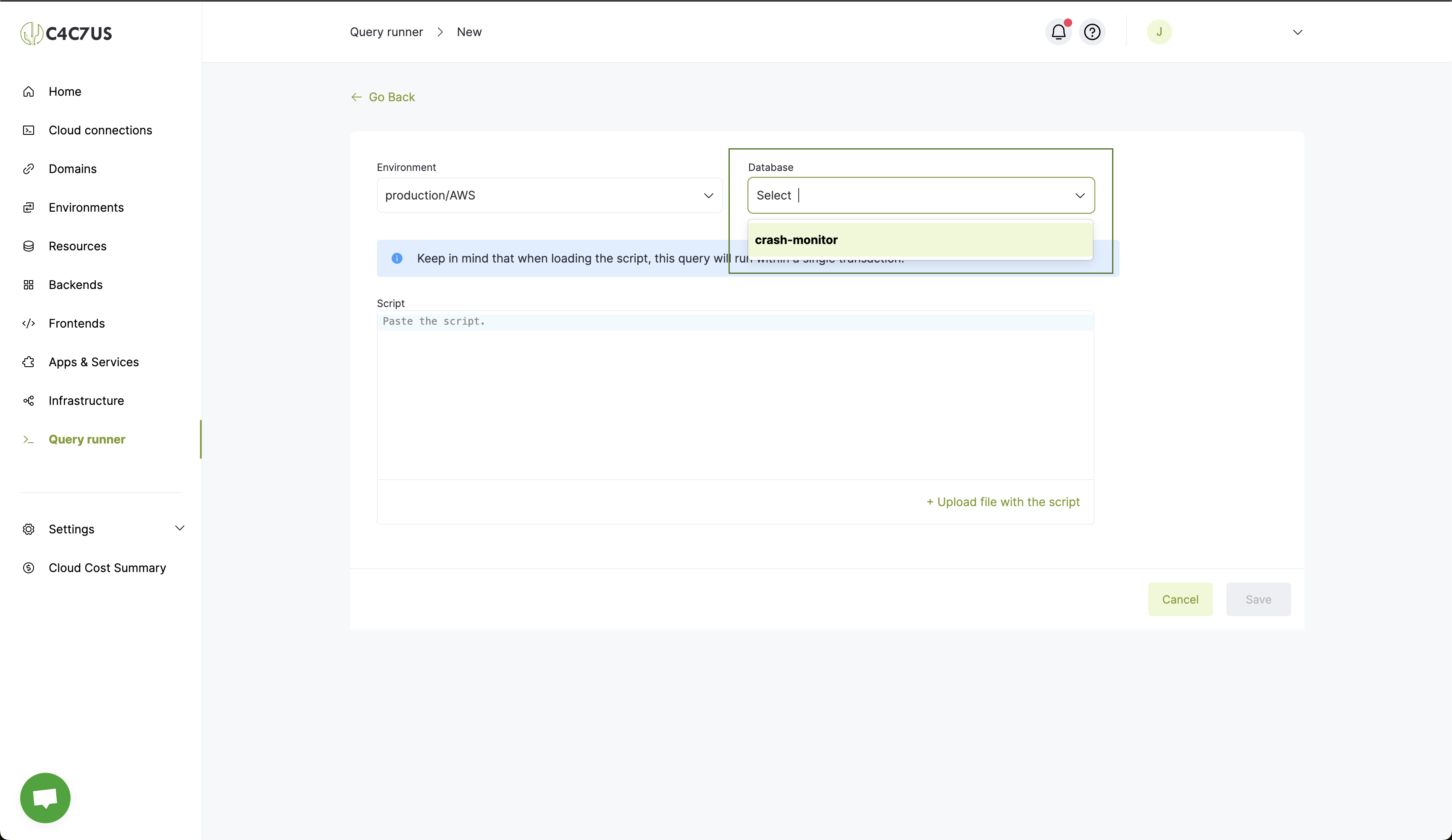
1.5. Define your query or upload a .sql file and click "Save."
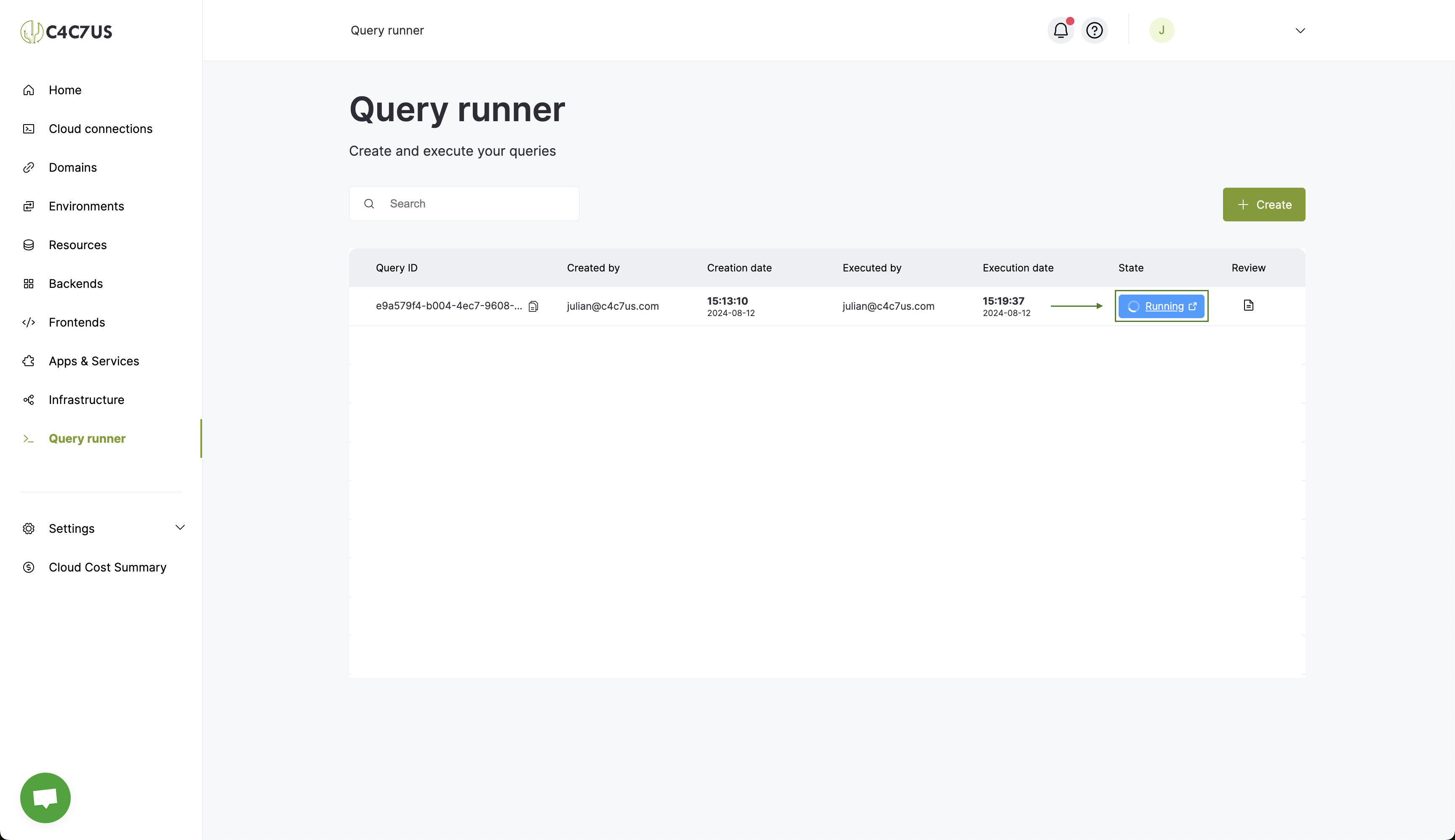
1.6. Now you can view the execution request for your query and click on the status to see more detailed information.
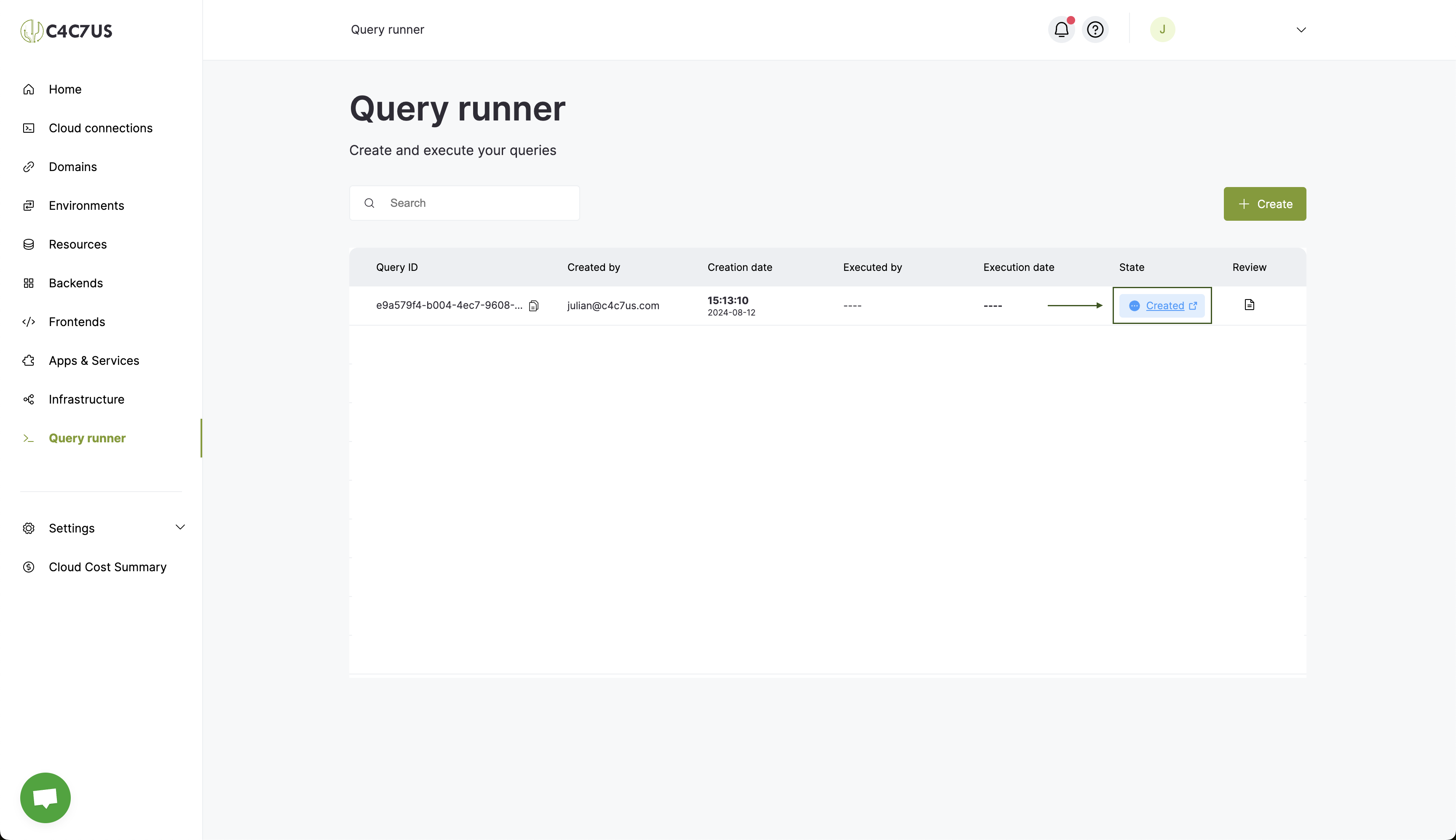
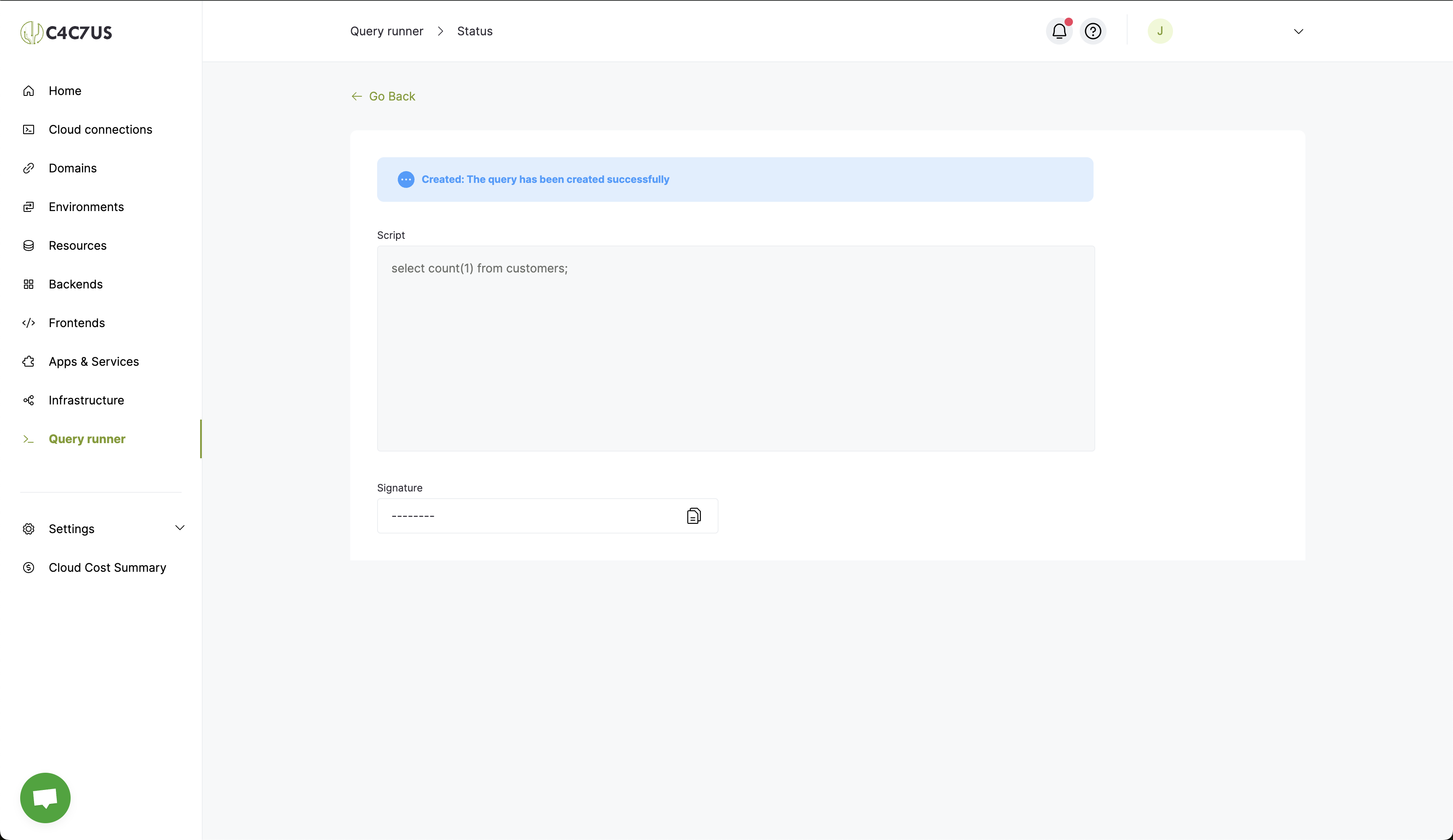
Note: A basic user CANNOT execute the queries; they can only create execution requests.
2. How to Approve and Execute a Script Execution Request (Admins Only)
For administrators, the query editor has the same creation and visualization functionalities. Additionally, they can execute or reject the queries as needed.
To use this new feature, follow these steps:
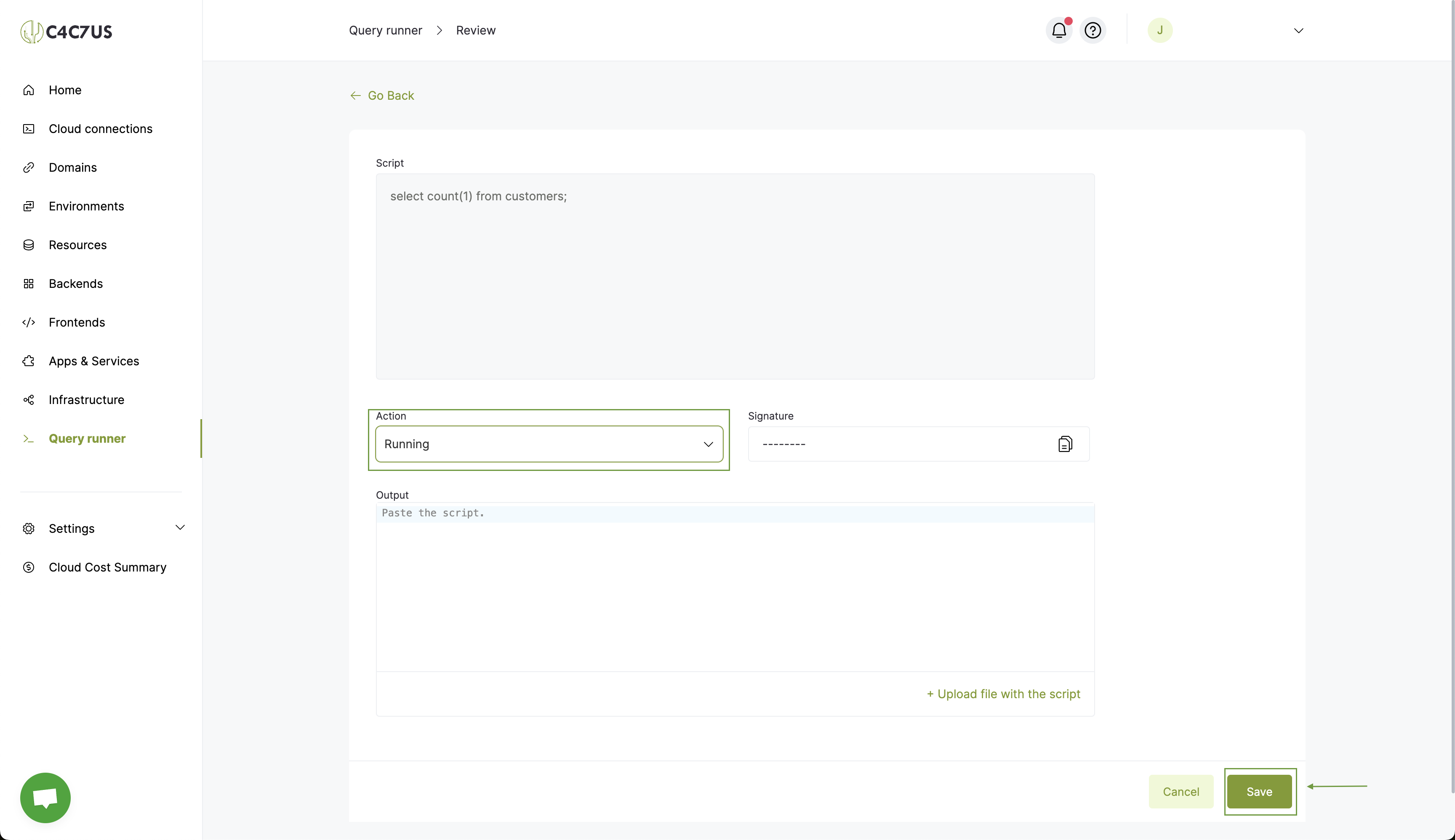
2.1. Click the "Review" button to execute/decline a query.
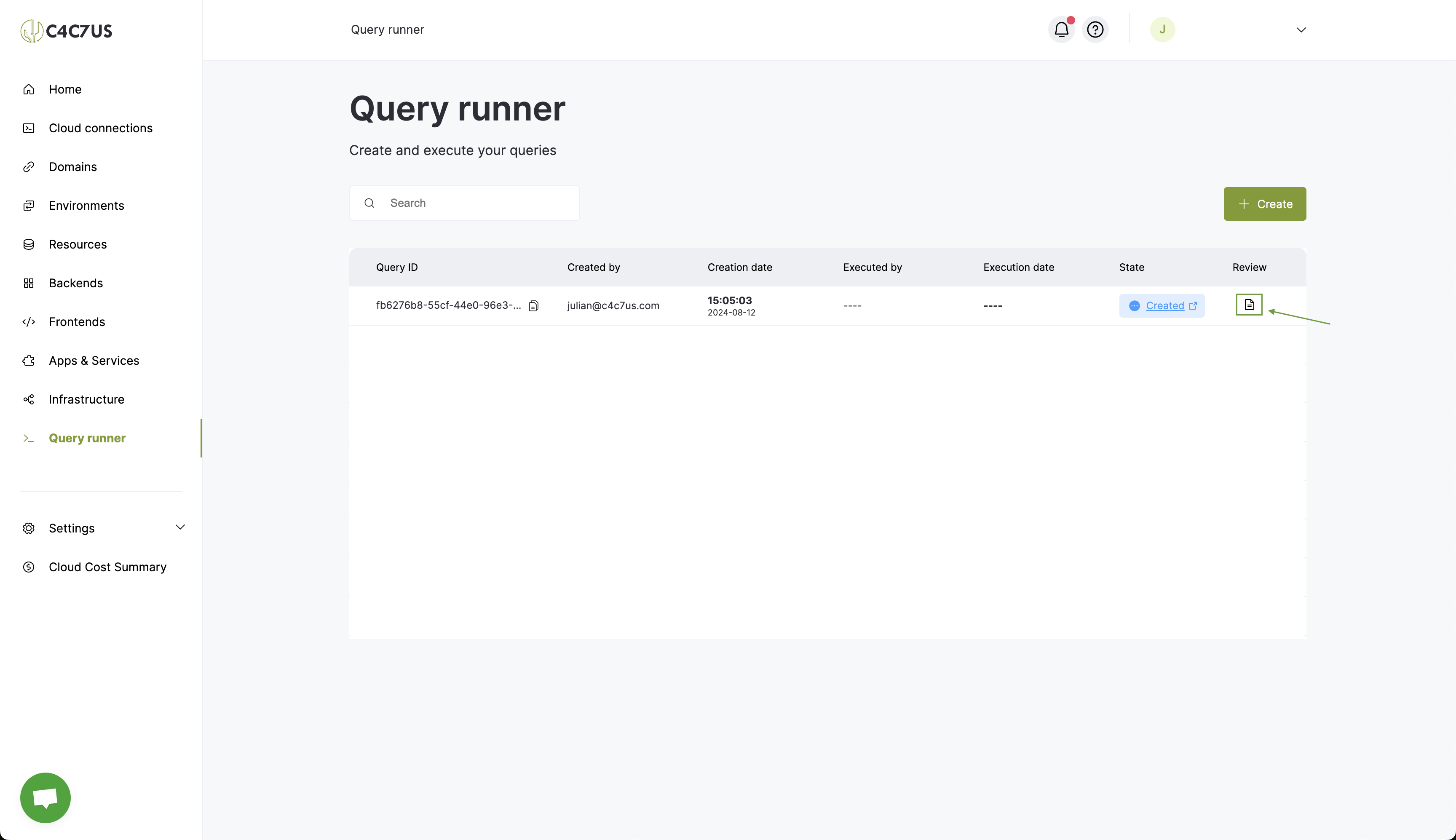
2.2. Select the status you want to assign to the query and save.
To execute it, you must select the "Running" status. However, there are more statuses, such as "Declined," "Error," and "Success." These statuses allow you to decline the query if the action to be performed is not allowed, or if the same query has already been executed (manually), you can set it to "Error" or "Success" after execution.
There is also a "Running Test" status, which allows you to execute a query without affecting the database so you can see what actions it would take. The changes will not be reflected.
For now, we'll execute our request, so click "Save."
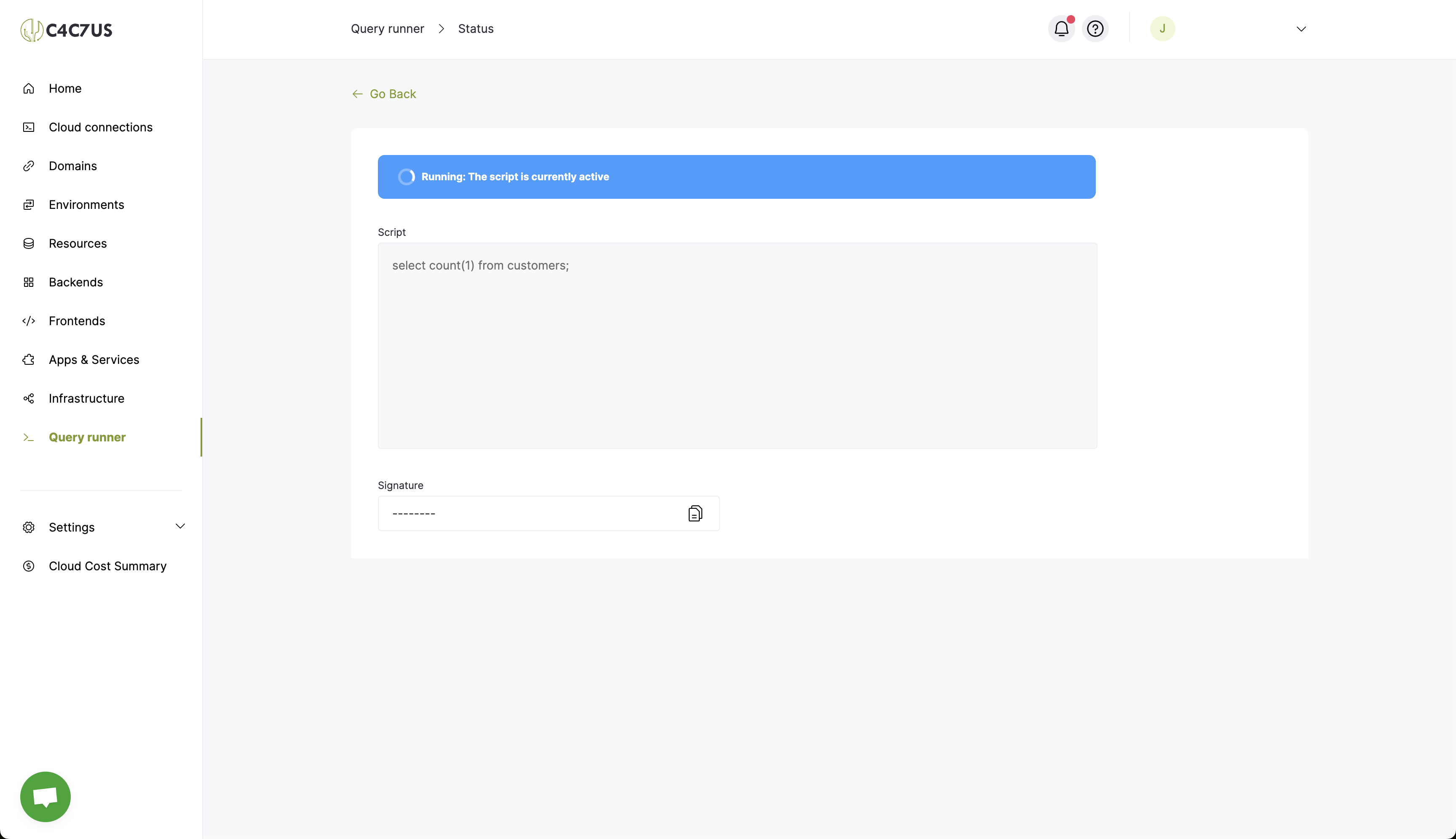
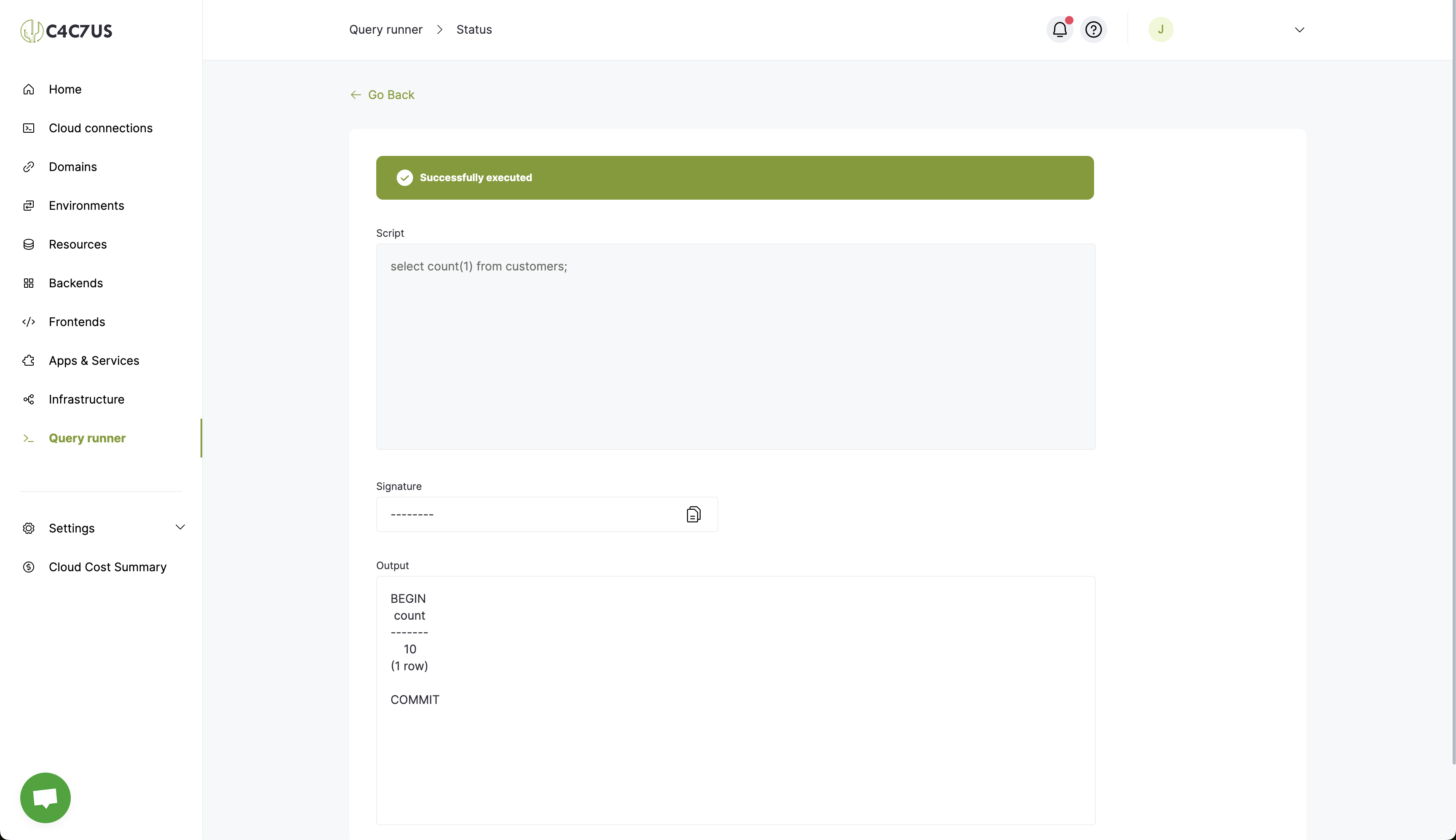
2.3. Click on the request status to see how it changes in real-time and view the output once the execution is complete.
Conclusion
If you followed all the steps to the letter, congratulations! You've completed and understood our Query Runner workflow 🥳. For more guides, you can visit the Help Center section on C4C7OPS and continue enjoying scalability and security in just a few steps for all types of services 🌵.